Are you tired of waiting for your PC to start up? Do you struggle with slow application loading times? Many users face the frustration of a slow computer.
The good news is that there are simple, effective ways to optimize your computer’s performance.
By using the right tools, you can make your PC much faster. This article will show you how. You’ll learn about handy tools to make your computer faster and more responsive.
You’ll discover how to make your PC work better. Enjoy a smoother computing experience.
Table of Contents
Key Takeaways
- Discover simple methods to optimize your PC’s performance.
- Learn about effective tools to enhance your computer’s speed.
- Understand how to streamline your PC’s operations for better efficiency.
- Find out how to maintain your computer for sustained performance.
- Explore user-friendly solutions to common PC slowdown issues.
Why Your Computer Slows Down and How to Recognize the Signs
Computers slow down for many reasons. Knowing these causes helps keep your computer running well. Over time, computers naturally slow a bit. But big slowdowns usually mean there’s a problem that can be fixed.
Common Causes of PC Performance Degradation
Several things can make your computer slower. These include:
- Cluttered disks filled with unnecessary files and data
- Malware and viruses that consume system resources
- Outdated software that is no longer optimized for your system
- Background processes and startup items that slow down your computer
Knowing what slows your computer is the first step to making it faster. By finding the main problems, you can fix them and speed up your computer.
Warning Signs That Your Computer Needs Optimization
So, how do you know when your computer needs a boost? Watch for these signs:
| Warning Sign | Description |
|---|---|
| Frequent Crashes | If your computer crashes often, it may be due to software conflicts or hardware issues. |
| Slow Startup Times | When your computer takes a long time to start up, it could be due to too many startup programs. |
| Slow Application Launches | If applications take a long time to open, it might be a sign of insufficient RAM or a cluttered disk. |
By spotting these signs and knowing why your computer slows down, you can fix it. Use computer optimization software and performance-boosting tools to keep your computer running smoothly. Regular care is essential to avoid slowdowns and keep your computer fast.

Essential System Maintenance Tools for Regular Tune-ups
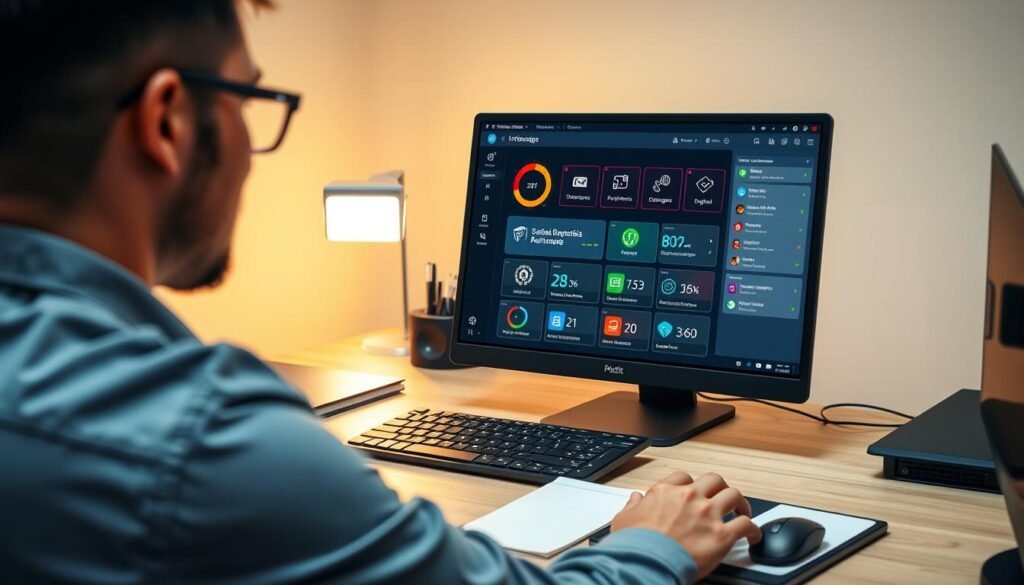
Effective system maintenance tools are key to a faster computer. Regular tune-ups keep your PC running smoothly. You can use Windows tools and third-party cleaners for this.
Leveraging Windows Built-in Optimization Tools
Windows has tools to optimize your system. Two key tools are Disk Cleanup and Defragmentation.
Disk Cleanup for Removing Unnecessary Files
Disk Cleanup removes temporary files and system files you don’t need. It frees up space and boosts your PC’s speed.
Defragmentation Tool for Organizing Data
The Defragmentation tool organizes your hard drive’s data. It reduces fragmentation and speeds up access times. It’s great for traditional hard drives.
Powerful Third-Party System Cleaners
Third-party cleaners offer more than Windows tools. They provide deeper cleaning and optimization.
CCleaner for Comprehensive System Cleaning
CCleaner is a top pc tune-up program. It cleans temporary files, registry entries, and more. It’s a strong system performance enhancer.
BleachBit for Deep System Purging
BleachBit does deep cleaning, removing unwanted files and data. It’s a great system performance enhancer for a smooth PC.
| Tool | Description | Benefits |
|---|---|---|
| Disk Cleanup | Removes unnecessary files | Frees up disk space, improves performance |
| Defragmentation | Organizes data on the hard drive | Reduces fragmentation, improves access times |
| CCleaner | Comprehensive system cleaning | Removes temporary files, registry entries, and unnecessary data |
| BleachBit | Deep system purging | Removes unwanted files and data, enhances performance |
Tools That Speed Up Computer Performance Easily
Boosting your computer’s speed is simpler than you might think. There are many tools to help you, whether for everyday use or gaming. These tools can make your computer run faster and smoother.
All-in-One PC Optimization Suites
All-in-one suites are a complete solution for better computer performance. They clean up disks, optimize the registry, and remove malware.
Iolo System Mechanic for Automated Optimization
Iolo System Mechanic makes optimizing your PC easy. It defragments disks and optimizes startup times.
Ashampoo WinOptimizer for User-Friendly Tuning
Ashampoo WinOptimizer is easy to use for PC optimization. It offers quick one-click options and detailed settings for experts.
Specialized Performance Boosters for Everyday Use
For tasks like gaming, specific tools can greatly improve your computer’s performance.
Razer Cortex for Gaming Performance Enhancement
Razer Cortex boosts gaming by optimizing system resources and defragmenting games. It’s perfect for gamers wanting a better experience.
Wise Game Booster for Resource Prioritization
Wise Game Booster ensures gaming runs smoothly by prioritizing resources. It also cleans your system and offers game excerpts.
| Tool | Primary Function | User Interface |
|---|---|---|
| Iolo System Mechanic | Automated Optimization | User-friendly |
| Ashampoo WinOptimizer | Comprehensive Tuning | Intuitive |
| Razer Cortex | Gaming Performance Boost | Gamer-focused |
| Wise Game Booster | Resource Prioritization | Simple and Clean |
Mastering Disk Management and Storage Optimization
To keep your PC running smoothly, mastering disk management and optimizing storage is key. Proper disk management boosts your computer’s performance. It also makes sure you have enough space for files and apps.
Hard Drive Analysis and Cleanup Software
Checking and cleaning your hard drive is vital for better PC storage. Many tools can help you do this.
WinDirStat for Visual Storage Management
WinDirStat offers a visual way to see your hard drive’s contents. It helps spot big files and folders taking up space. With WinDirStat, you can quickly find and remove unnecessary files. This frees up space and boosts your PC’s speed.
SpaceSniffer for Identifying Space-Hogging Files
SpaceSniffer scans your hard drive to find files and folders using a lot of space. Its easy-to-use interface helps you decide which files to keep or delete. This ensures your storage is at its best.
SSD-Specific Optimization Tools
If you have a Solid-State Drive (SSD), there are tools made just for it. They help keep your SSD running well and lasting longer.
Samsung Magician for Samsung SSD Maintenance
For Samsung SSD users, Samsung Magician is a must-have. It shows detailed info about your SSD’s health and performance. It also lets you do maintenance tasks like secure erase and firmware updates.
Intel SSD Toolbox for Intel Drive Optimization
Intel SSD owners should use the Intel SSD Toolbox. It has features to keep your SSD in top shape. You can check drive health, update firmware, and run diagnostic tests to ensure your SSD is performing well.
Using these disk management and storage tools can greatly improve your PC’s performance. They help your storage devices work efficiently.
Boosting Memory and CPU Performance with Specialized Tools
To make your computer run better, focus on improving memory and CPU performance. Special tools can help manage memory and boost CPU speed.
RAM Optimization and Management Tools
RAM optimization tools help your computer run smoothly. MemPlus and RAM Saver Pro are two great examples.
MemPlus for Dynamic Memory Compression
MemPlus compresses inactive data to free up RAM. This lets your active apps use more memory.
RAM Saver Pro for Automatic Memory Recovery
RAM Saver Pro automatically recovers memory. This ensures your computer has enough RAM for smooth app use.
CPU Management and Monitoring Software
CPU management tools optimize CPU priority and monitor performance. Process Lasso and CPU-Z are top choices.
Process Lasso for CPU Priority Optimization
Process Lasso lets you set CPU priority for apps. This ensures important tasks get the processing they need.
CPU-Z for Hardware Monitoring and Analysis
CPU-Z gives you detailed CPU and hardware info. It helps you monitor and analyze performance.
| Tool | Function | Benefit |
|---|---|---|
| MemPlus | Dynamic Memory Compression | Frees up RAM for active applications |
| RAM Saver Pro | Automatic Memory Recovery | Ensures smooth application performance |
| Process Lasso | CPU Priority Optimization | Enhances processing power for critical tasks |
| CPU-Z | Hardware Monitoring and Analysis | Provides detailed hardware information |
Streamlining Startup and Managing Background Processes
Improving your PC’s startup and managing background processes can greatly enhance its performance. Many programs and services run in the background when your computer starts. This can slow it down and use up system resources.
It’s important to manage these startup items and background processes well. This keeps your computer fast and efficient.
Effective Startup Item Controllers
Managing startup programs is key to a quicker boot time. Tools like Autoruns and Startup Delayer help control which programs start at boot.
Autoruns for Complete Startup Management
Autoruns is a powerful tool for managing startup items. It gives detailed info on each startup program. This helps you decide which to keep or remove.
Startup Delayer for Staggered Program Loading
Startup Delayer lets you stagger startup program loading. This reduces system load during boot time. It makes your PC start up faster.
Background Process Optimization Utilities
Optimizing background processes is also key for PC performance. Tools like Wise Care 365 and Advanced SystemCare help manage and optimize these processes.
Wise Care 365 for System Process Management
Wise Care 365 is a system optimization tool. It includes features for managing background processes. It helps improve your PC’s performance by optimizing resource-intensive processes.
Advanced SystemCare for Automated Process Optimization
Advanced SystemCare offers automated process optimization. It scans your system, finds areas for improvement, and optimizes background processes. This boosts your PC’s performance.
| Tool | Primary Function | Key Benefit |
|---|---|---|
| Autoruns | Startup Management | Comprehensive control over startup items |
| Startup Delayer | Staggered Program Loading | Improved startup speed |
| Wise Care 365 | System Process Management | Optimized resource usage |
| Advanced SystemCare | Automated Process Optimization | Enhanced system performance |
Enhancing Browser and Internet Speed for Faster Web Experience
Boosting your browser and internet speed is key for a better web experience. A slow browser or internet can slow you down and frustrate you. Luckily, there are tools to help make both faster, for a smoother online journey.
Browser Cleanup and Optimization Utilities
Browser cleanup and optimization tools are vital for a quick and efficient web experience. They clear out unwanted data and tweak browser settings.
AdwCleaner for Removing Browser Adware
AdwCleaner is a strong tool that gets rid of adware, malware, and other unwanted programs. It’s simple to use and keeps your browser clean.
Chrome Cleanup Tool for Google Chrome Optimization
The Chrome Cleanup Tool is made for Google Chrome users. It finds and removes software that causes ads, slows things down, or has other issues. This ensures your browser works well.
Internet Connection Speed Enhancers
Internet connection speed enhancers are key for a faster web. They adjust settings for better performance.
TCP Optimizer for Network Settings Adjustment
TCP Optimizer lets you tweak your network settings for the best internet speed. It has an easy interface to adjust TCP settings, boosting your internet.
NetAdapter Repair for Network Adapter Troubleshooting
NetAdapter Repair fixes network adapter issues that slow your internet. It has many features to find and fix problems, giving you a stable connection.
Using these tools can greatly enhance your web experience. You’ll enjoy a faster and more enjoyable online journey.
Conclusion
You now know many tools and strategies to make your computer faster. Keeping your computer in good shape is essential. The right tools can greatly improve your PC’s performance.
Think about using the tools and methods we talked about. You can improve your PC’s speed in many ways. This includes system maintenance, disk management, and browser optimization. By taking care of your computer, you’ll enjoy a quicker and more responsive experience.
Regular maintenance is key to keeping your PC fast. With the right tools and a little effort, you can make your PC much faster. This will help your computer run smoothly for a long time.
Read more: Unlock Faster Research and Writing with Free AI Tools